Lifetime Mac
Files, disk & backup
A Better Finder Rename

Batch renaming for people who rename thousands of files

Price: €29.95 once

Paid upgradesMajor versions cost again

Price read on publicspace.net, the page Buy direct opens. Medium confidence.

The catch

The default licence stops before version 13 unless you pay more for the Forever tier

The full picture

On the default Standard policy, major versions are paid upgrades — currently $14.95 — so plan on paying again every few years. The escape hatch is the Forever option sold at checkout, and as a $29.95 upgrade for existing owners, which the developer says includes all future versions forever; if buying once is the point, pick that one. Licences are counted per individual rather than per Mac, so one person with three Macs needs a single licence. New purchases carry a 30-day money-back guarantee. The current release requires macOS 13 or later.

Seats
No Mac count statedThe Single User licence counts people, not machines: as many installations as one individual wants, but it cannot be shared with anyone else.
Developer account
None needed

What it looks like

Images belong to their developers.

What you’re buying

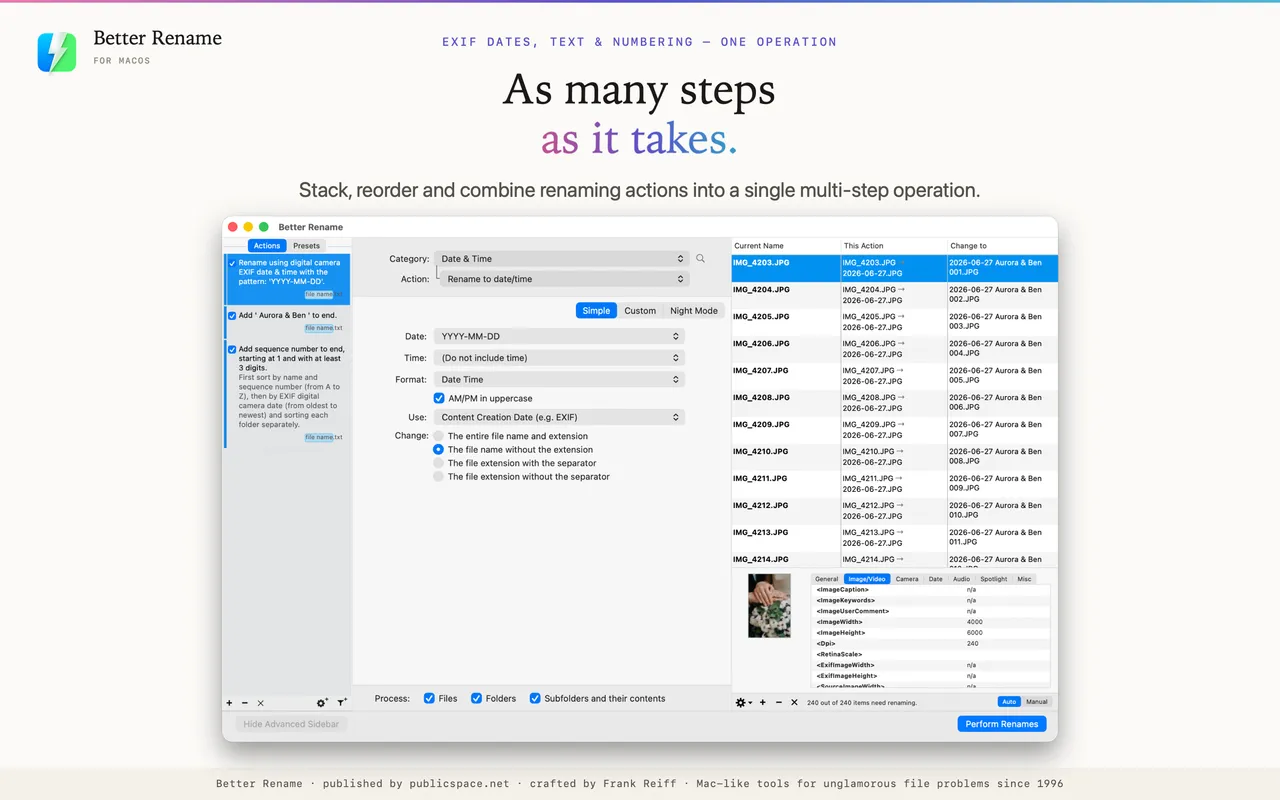
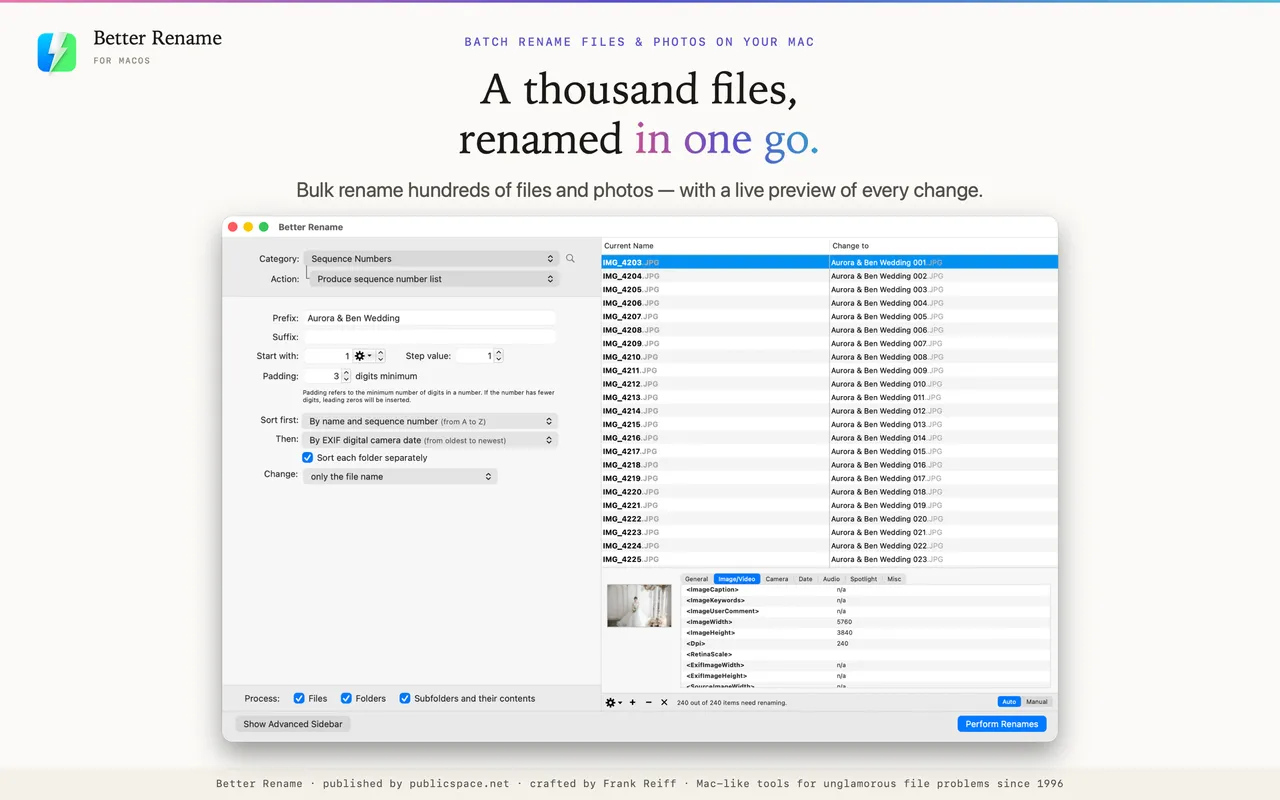
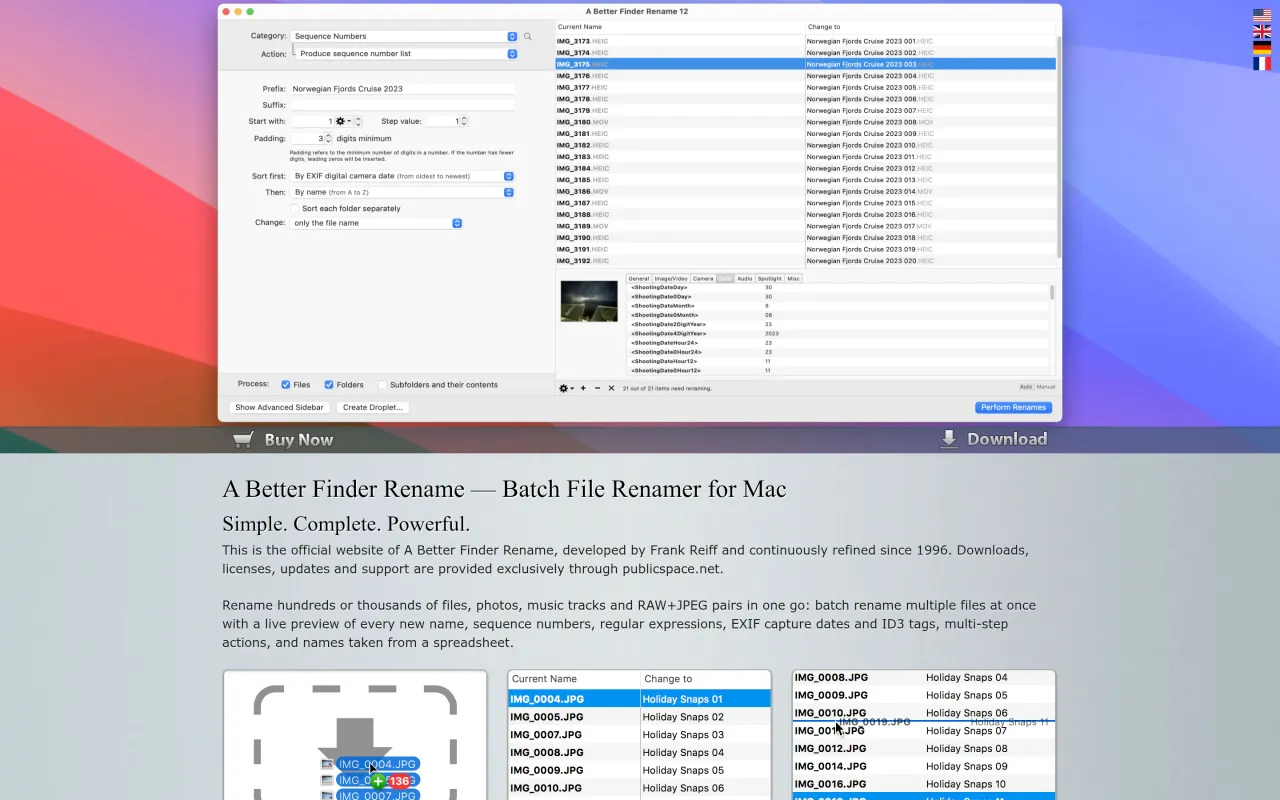
There is a category of Mac app that does one boring thing extremely well, and this is the canonical example. You drop in 4,000 photos, tell it to name them by the date each was taken plus a sequence number, watch the preview column fill in, and commit. If you got the pattern wrong, one undo puts every name back.

The metadata rules are what separate it from a free script. It can read EXIF capture dates, camera and lens fields, ID3 tags from music, and it handles the fiddly cases — numbering that pads correctly, find-and-replace with regular expressions, inserting or stripping text at a position, case conversion that does not mangle extensions. Droplets let you freeze a working recipe and reuse it by dragging files onto an icon.

Pay attention to the update policy at checkout. Standard is the cheaper default and is version-locked; Forever costs more and genuinely means it. For a utility you will still be using in eight years, Forever is the honest buy and the reason this app belongs on this site at all.

If you rename a folder of files twice a year, macOS has had batch rename built into Finder since 2013 and it is adequate. This is for people renaming files weekly, in volume, to a pattern.

What owners report

Points that recur across the discussions below. A report of what users say, not our verdict: we don’t review software.

Praised

  • Several posters say they have had it on their Macs for years and it stays the renamer they come back to
  • When someone asks for a Mac batch renamer in these threads it is the most-seconded answer, with Name Mangler the usual runner-up

Details

The price in full

EUR 29.95 for a Single User licence, priced in euros by the developer, so the dollar figure moves with the exchange rate. At checkout you pick an update policy: Standard covers free minor updates up to but not including version 13, while Forever includes all future versions permanently. Tiers count people, not Macs — Single User is 1 individual, Family up to 5, Small Business up to 20, Business up to 50, Enterprise unlimited. Existing owners pay $14.95 for the version 12 major upgrade or $29.95 to move to Forever.

The A Better Finder Rename page at publicspace.net
The developer’s own page. publicspace.net, captured 22 Sep 2026
Free trial
Yes
Works offline
Yes
Apple Silicon
Native
On Setapp
No
Minimum macOS
macOS 13
Developer
publicspace.net

Also bought outright