Lifetime Mac
Launchers, clipboard & automation
Dropzone

Price: $35 once

PerpetualUpdates included, forever

Price read on aptonic.com, the page Buy direct opens.

The catch

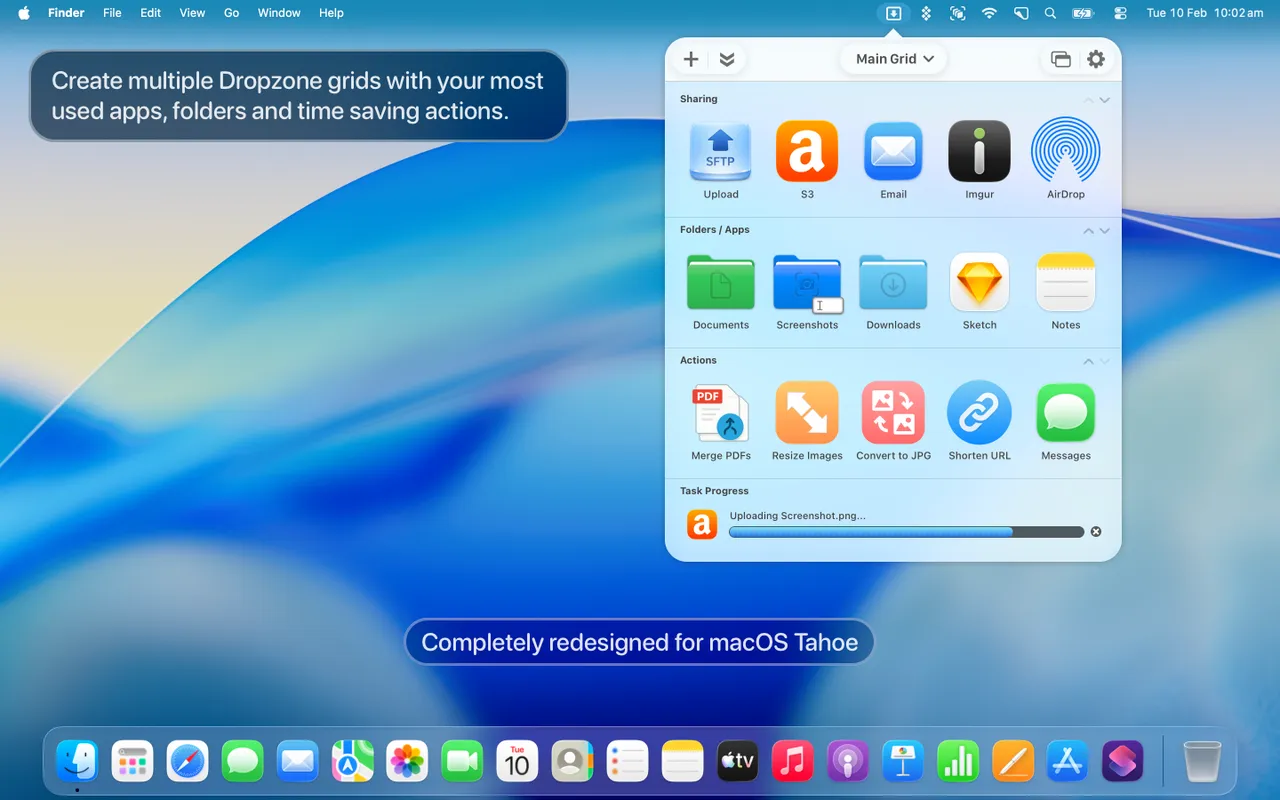
The free tier is deliberately basic — the actions worth having sit behind the $35 Pro licence

The full picture

Pro gates most of what makes the app interesting: multiple grids, the upload destinations and the developer actions. Dropzone 5 needs macOS 13 or newer, so older Macs are stuck on an earlier version. Several built-in actions upload files to third-party services, which means handing those files to those services. Getting the app through Setapp or the Mac App Store is not the same as owning the $35 direct licence, so buy the route you actually want to keep.

Pays back in
4 months
Seats
No Mac count statedAptonic's terms cover every computer linked to your own Apple account, provided nobody else uses it, so no seat count applies.
Developer account
None needed
Buy once$35Rent 5 years$540

$505 kept over five years, and you still have the app.
Against Setapp at $108 a year, Mac plan billed yearly, before tax; Dropzone is one of the 300+ apps in it.

What it looks like

Images belong to their developers.

What you’re buying

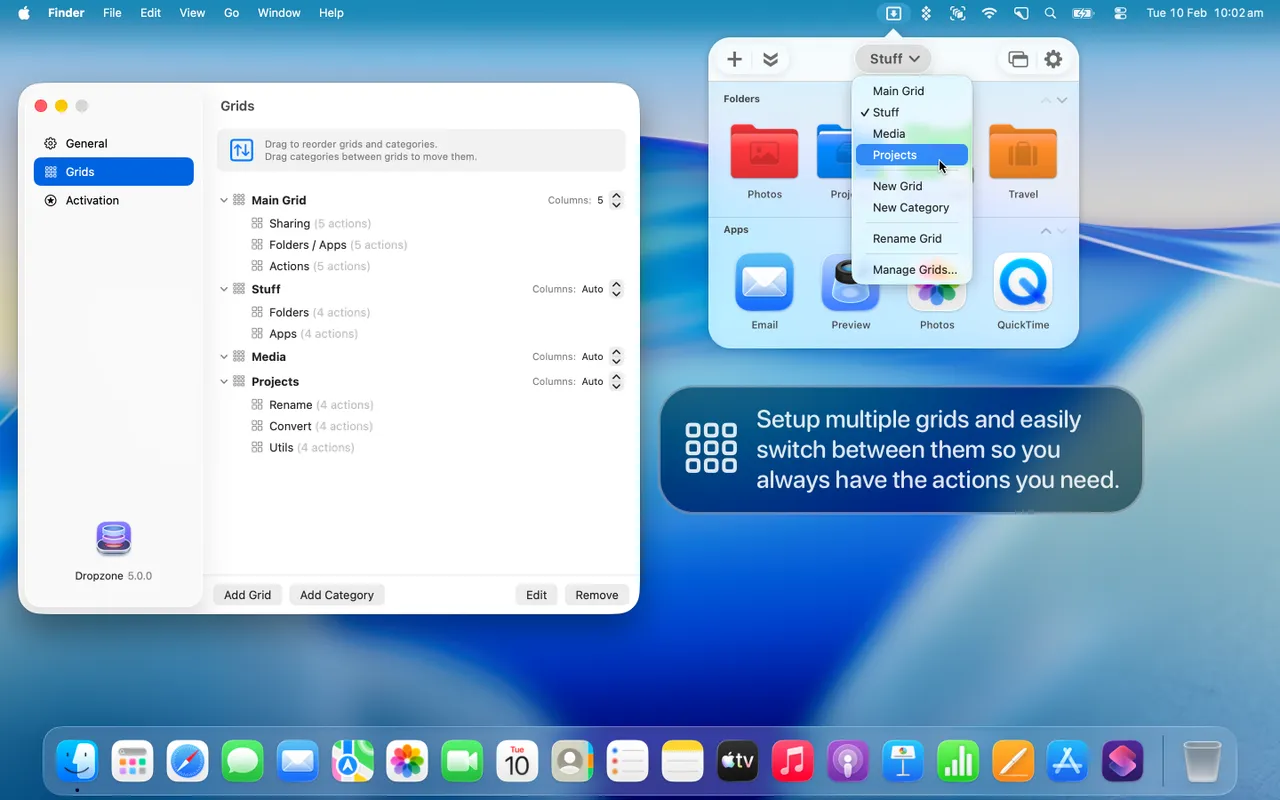
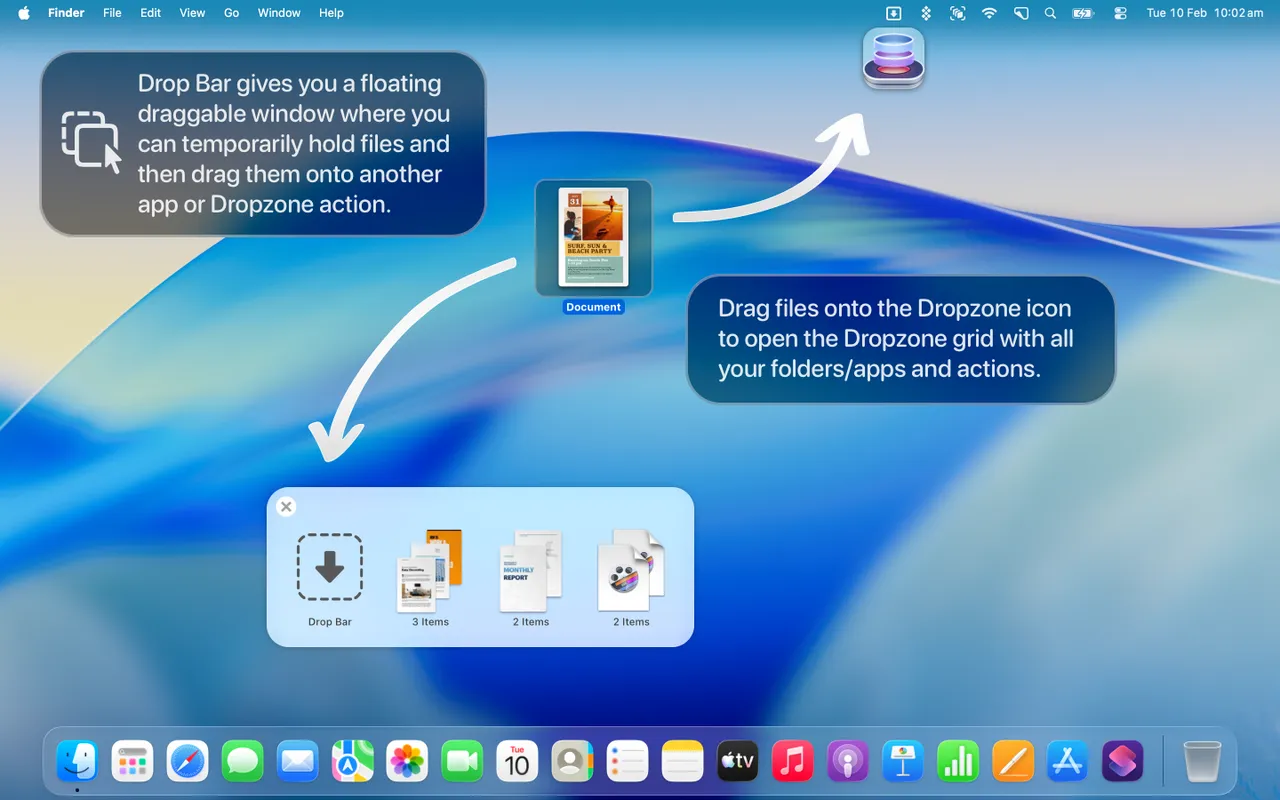
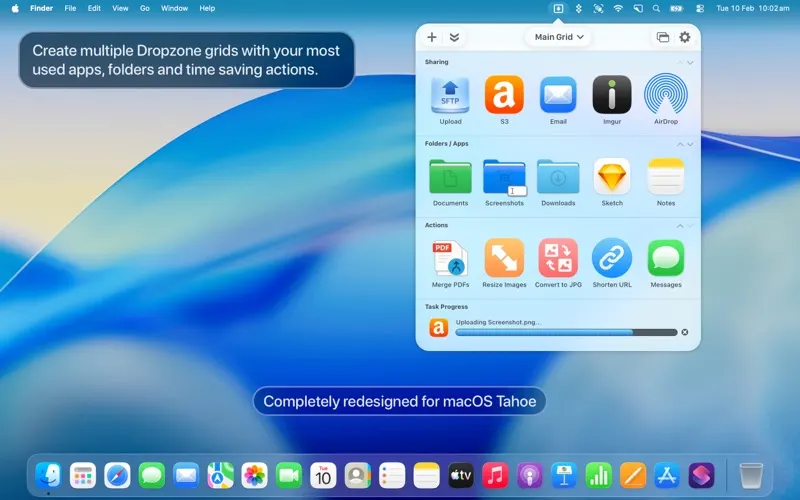
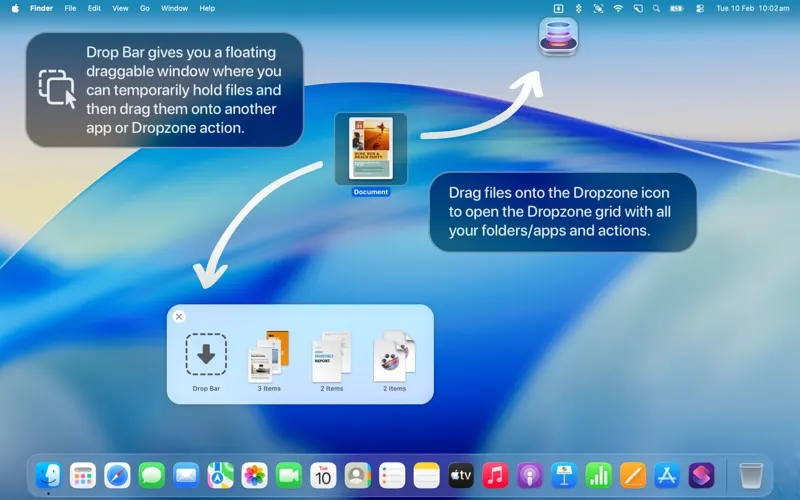
Dropzone puts a grid on screen the moment you pick a file up. Drop it on a tile and it moves to that folder, uploads, opens in that app, gets resized, or runs whatever Ruby or Python you wrote for it. The tile most people end up living in is the shelf: grab a file here, another from a message, a third from a download, then drag the whole pile out at once. Arranging two Finder windows side by side stops being part of your day.

Version 5 was rebuilt for current macOS and wants 13 or newer. The $35 Pro licence is the direct one, described by Aptonic as a lifetime licence, and owners of older versions pay up to half that. There is a free tier with the basic actions and a 14-day Pro trial, which is enough time to learn whether the grid becomes a habit or a thing you forget is installed.

Skip it if your work lives inside one app, or if the Dock, Finder tabs and a well-organised Downloads folder already cover the file shuffling you do. And think before you wire up the upload actions: they hand your file to a third-party service, which is fine for a screenshot of a bug and less fine for a signed contract.


What owners report

Points that recur across the discussions below. A report of what users say, not our verdict: we don’t review software.

Praised

  • Reporters in separate threads say the developer answers within a day and ships a patched build within days, and confirm the fix themselves
  • Several describe it as something they only notice the size of when it breaks, one saying they had not realised how much they used it until they could not

Criticised

  • Each recent major macOS release has broken something visible until a patch: Drop Bar stopped clearing under Sequoia, the grid stopped appearing under Tahoe
  • Users repeatedly find features only by asking - the floating Drop Bar, the grid-refresh key and the Finder service shortcut all needed the developer to point them out

Details

The price in full

Dropzone 5 Pro is $35, which the developer's own page calls a lifetime licence, with a 14-day trial of the Pro features and upgrades from earlier versions at up to 50% off. A free tier with the basic actions exists alongside it. The price sits on the aptonic.com front page rather than a separate store page. Also sold through Setapp and the Mac App Store.

The Dropzone page at aptonic.com
The developer’s own page. aptonic.com, captured 22 Sep 2026
Free trial
Yes
Works offline
Partly
Apple Silicon
Native
Minimum macOS
macOS 13
Developer
Aptonic

Also bought outright