
Xnapper
auto-padded, auto-redacted screenshots for posting in public
This version
After your year of updates runs out the app does not stop: the pricing page states that you can use the last version you have forever and that "there is no expiration date". You only pay again for newer builds, at 40% off. Watch the purchase channel, because the two differ: the developer's own site says macOS 10.15 or later with no chip restriction, while the Mac App Store listing requires macOS 11 and an Apple M1 or later, so Intel owners should trial the direct build rather than assume it is ruled out. Every paid tier is listed as watermark-free, which implies the free version marks exports. And the scope is narrow by design: beautifying and redaction, not full annotation and not recording.
Cost over five years
$30 once = 3 months of CleanShot Pro. Over five years that is $600 rented against $29.99 owned — $570 kept, and you still have the app.
CleanShot Pro priced at $120 a year — $10 per user/month, billed annually. Checked 2026-09-22.
Xnapper is for people whose screenshots are seen by strangers: changelog entries, docs, support replies, posts. It takes the capture and does the tidying you would otherwise do by hand in a design tool — even padding, a rounded window, a background that is not your wallpaper, an aspect ratio that will not be cropped badly by whatever you paste it into.
The part that earns its keep is redaction. It scans the image for emails, phone numbers, addresses and card numbers and blurs them before you hit share, which is a different kind of safety net from remembering to drag a black box over a row of test accounts. OCR is in there too, so you can pull the text back out.
The licence is a year of updates, and the honest way to read it is: you are buying this version outright and renting the newer ones. Stop paying and nothing locks; you keep the build you have, and a later year costs 40% less than the first one did.
Buy direct rather than from the Mac App Store unless you actively want the $39.99 Lifetime in-app purchase, because the direct site's macOS floor is lower and keys are portable.
If you annotate heavily — arrows, callouts, step numbers — this is the wrong tool. It makes screenshots look good; it does not want to be a drawing app.
What it looks like
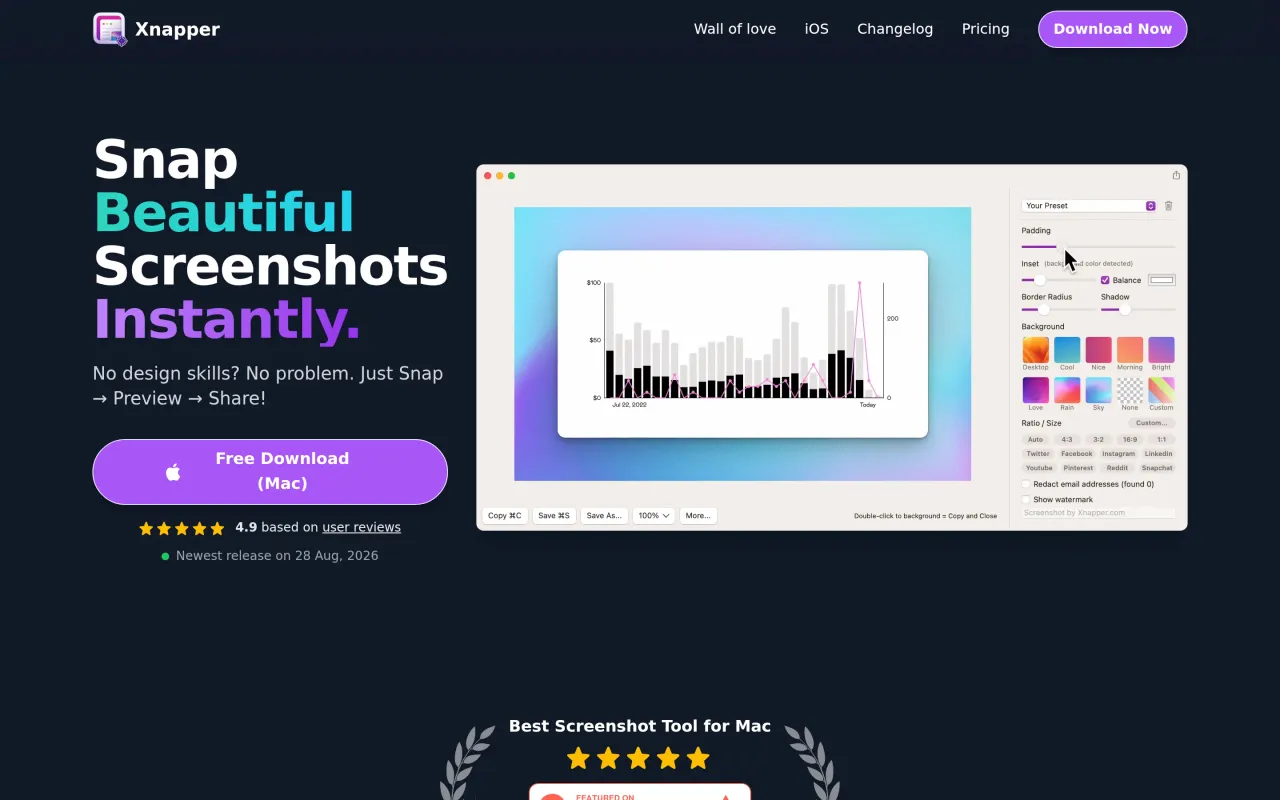
What it does
- Automatic padding, rounded corners, shadows and backgrounds
- Detects and blurs emails, phone numbers, addresses and card numbers
- Balanced-layout and aspect-ratio presets sized for social posts and docs
- OCR text extraction from captures
- The version you own keeps working if you never renew
Cancel instead
Also bought outright in capture



The facts
- Price
- $29.99
- Licence
- Own this version forever
- What you get
- One payment buys this major version outright. The next major version is a separate purchase, if you want it.
- Details
- Direct licences, each including one year of updates: Basic $29.99 for 1 Mac, Personal $54.99 for 2 Macs, Standard $79.99 for 3 Macs. Renewal afterwards is 60% of your original purchase price, and the pricing page says that rate holds even if list prices rise. Team is $5 per device per month billed annually. 30-day money-back guarantee, no questions asked. The Mac App Store listing sells things differently: a "Lifetime" in-app purchase at $39.99 alongside a $14.99 subscription. The iOS app is bought separately and Mac licence keys do not work on it.
- Free trial
- Yes
- On Setapp
- Yes
- Minimum macOS
- macOS 10.15
- Developer
- 10xCompany, LLC
- Price checked
- 2026-09-22
Check it yourself - Price band
- $15 to $30